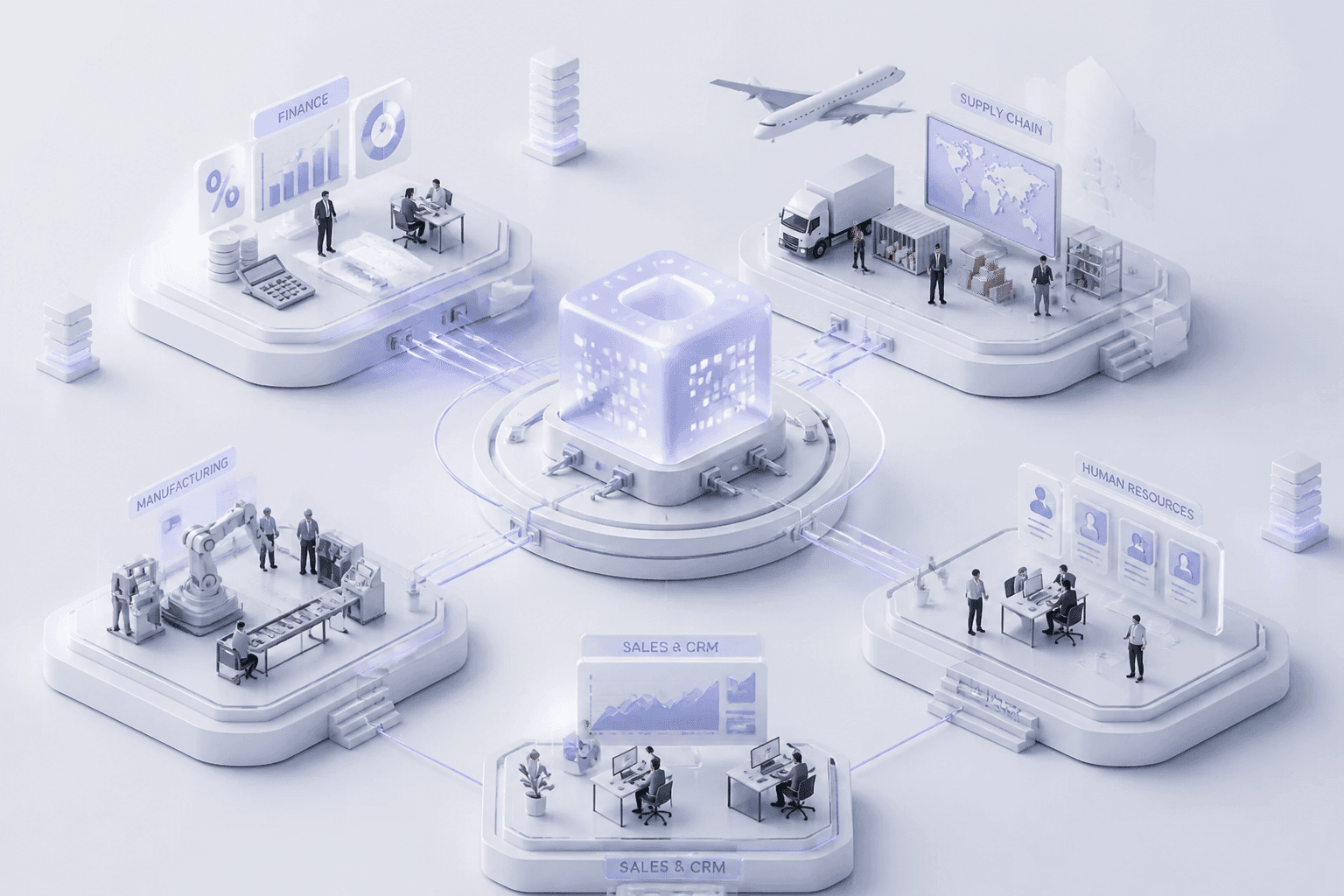
Introduction: Beyond Software, Why Your ERP Implementation Is a Strategic Business Transformation
Your month-end close takes nine days. Sales can't see real inventory. Finance keeps a backup spreadsheet "just in case." Sound familiar?
Most CTOs and CIOs I talk to are living with systems that were fine ten years ago. Now those systems slow everything down, and growth only makes it worse. So the big question lands on your desk: do we finally replace the core?
New ERP software looks like a tech upgrade. It's not. Prosci's 2025 research found that human and organizational factors mattered six times more than technical ones in getting real ERP benefits. Tools matter, sure. But people and process decide the outcome.
The upside is real, too.
83% of organizations that ran an ROI analysis before implementation, and had been live for over a year, reported meeting their ROI expectations. (ERP statistics roundup)
The stakes are high either way. Done well, enterprise resource planning software becomes a real edge over your competitors. Done badly, it burns budget, time and goodwill.
This guide is a roadmap for IT leaders who want to get it right. We'll walk through the full ERP implementation process, one phase at a time, starting with how to plan before you buy anything.
Phase 1: Discovery and Strategic Planning, The Blueprint for Success

Here's the first rule of the ERP implementation process: don't open a single vendor demo yet. Discovery comes first. Skip it, and you'll spend the next two years paying for it.
Hershey learned this the hard way in 1999. A rushed launch of new systems right before peak shipping season led to delayed orders and an estimated $100 million in missed sales. Planning wasn't the only problem, but it was a big one.
Start With Business Problems, Not Features
Ask "what hurts?" before you ask "what does it do?" A feature list won't tell you if the project worked. A number will.
Turn each pain point into a target you can measure:
Cut month-end close from nine days to five.
Raise inventory accuracy to 98%.
Get new products to market 20% faster.
Reduce manual invoice entry by half.
Write down today's baseline for each one. Without it, you can't prove anything later. Keep the list short, too. Five to seven goals is plenty, and every goal needs a named owner.
Audit What You Already Have
Now look under the hood. Map your real processes, not the ones in the policy manual (those rarely match). Walk through order-to-cash, procure-to-pay and month-end close with the people who actually do the work.
Then list every system, spreadsheet and database that touches those flows. Note where data gets re-keyed by hand. Those spots are your bottlenecks, and they're also your biggest ERP system integration risks.
Check data quality while you're there. Duplicate customers, missing fields and old records will follow you into the new system if you let them. This is also where legacy system modernization decisions start. Some old tools can be retired, others need replacing or connecting. If you want a second pair of eyes on that audit, partners like Buildera work on modernizing legacy applications and can help you see what's worth keeping.
Build the Team Before the Project
Good ERP project management starts with the right people in the room. Flectic's guide to ERP team roles is a handy reference if you want more detail. At a minimum, you need:
An executive sponsor who can break ties and clear roadblocks.
A project manager who owns the schedule, budget and risks.
Department leads from finance, HR, supply chain and sales.
IT and data owners who know the integrations inside out.
The steering committee should meet on a set schedule and keep a decision log. It approves scope, budget and change requests. It shouldn't get tangled in daily configuration work.
Also, free up your people. If department leads are expected to do this on top of their regular jobs, it won't work. Plan backfill early.
Your Pre-Implementation Discovery Checklist
Use this before you move on.
Area | What to confirm | Done? |
Goal setting | 5 to 7 business goals with baselines and target numbers | ☐ |
Goal setting | Each goal has a named owner | ☐ |
Team formation | Executive sponsor and steering committee in place | ☐ |
Team formation | Project manager and department leads assigned, with backfill planned | ☐ |
Process audit | Core processes mapped as they really run | ☐ |
Process audit | Legacy systems, spreadsheets and integrations listed | ☐ |
Process audit | Data quality issues and bottlenecks flagged | ☐ |
Once this table is full of checkmarks, you're ready to start picking software and a partner.
Phase 2: Selection, Choosing the Right ERP Software and Implementation Partner

You've got your goals, your team and your audit. Now comes the part everyone wants to jump to: picking the thing. Two choices matter here. What kind of ERP software you buy, and who helps you put it in.
Let's take them one at a time.
Cloud, On-Premise, or Something Else?
Start with where it lives. Nucleus Research data, summarized by Flectic in 2026, found on-premises ERP cost about 2.1 times more than Oracle ERP Cloud over the comparison period. That's a big gap. But it isn't universal. A five-year QAD model showed costs getting close to even by year five, so run your own numbers. Count users, integrations, data rules and your own IT capacity.
A rough rule I'd use: cloud ERP implementation usually wins if you don't already own spare data center space and you want upgrades included. On-premise can still make sense if you own the hardware, need tight control over data, or have a steady workload and a strong internal team.
Then there's industry fit. A retailer needs omnichannel inventory and promotion pricing. A hospital needs patient system links and implant tracking. Industry-specific enterprise resource planning software often covers these out of the box, which means less custom work later.
Custom, Off-the-Shelf, or Hybrid
Here's where plenty of teams get stuck. Custom sounds perfect. Off-the-shelf sounds safe. Honestly, the answer is usually in the middle.
Factor | Off-the-Shelf | Custom-Built | Hybrid |
Upfront cost | Lower | Higher | Medium |
Speed to start | Fast | Slow | Medium |
Process fit | Good for common needs | Exact fit | Standard core, custom edges |
Upgrade effort | Vendor handles it | You handle it | Mixed |
Best for | Accounting, purchasing, payroll, standard inventory | Unusual workflows that drive your profit | Most mid-sized and large companies |
Main risk | Workarounds and forced processes | Cost and long-term upkeep | Messy integrations if poorly planned |
Custom ERP is easiest to defend when your process is both unusual and central to how you make money. Think engineered-to-order manufacturing or strict data-sovereignty rules. For everything else, buy the commodity pieces and build only what sets you apart. Every custom piece adds testing and upgrade work down the road.
A Vendor Sells Software. A Partner Owns Your Outcome.
This difference gets blurred in sales calls. A vendor hands you a license and a support line. A strategic partner sits with you through design, ERP system integration, data cleanup and the years after launch.
That matters because most of the hard work isn't in the software. It's in connecting it to your old systems and shaping it around your business. A good partner, like Buildera, helps with custom builds, legacy system modernization and long-term roadmap decisions, so you're not stuck calling a help desk when something breaks.
What to Look for When Selecting an ERP Partner
Selecting an ERP partner takes more than reading a brochure. Use these four filters:
Technical depth. Can they connect, rebuild or retire your legacy systems? Ask how they'd plug the ERP into your existing setup, what APIs or middleware they'd use, and who owns data quality.
A proven method. Ask for their approach from discovery through hypercare. If it's vague, that's your answer.
Industry experience. Get references from companies with your size, rules and integration headaches. Same ERP brand isn't enough.
Cultural fit. Will they tell you "no" when scope starts creeping? You want straight talk, not yes-men.
Also ask who exactly will work on your project. Dreher Consulting's vetting guide is a useful read here. The senior people in the pitch meeting should still be around in month six.
Once you've picked your software and your partner, the real building starts, and that begins with design and your data.
Phase 3: Design, Development, and Data Migration

You've signed the contract. The kickoff cake is eaten. Now the real work begins, and it's less glamorous than the demos. This phase is where your plan becomes an actual system, and where lots of ERP implementation challenges first show up.
Build the Project Plan and Solution Blueprint
Start with a detailed plan. Not a slide with three arrows. A real one, with milestones, owners, dates and dependencies.
Break the work into chunks you can check off:
Design sign-off
Configuration complete
Integrations built and tested
Data migration trial runs
Testing starts
Build in Slack, too. Timelines that look perfect on paper tend to slip, and roughly half of projects miss their go-live date in some surveys. (I'd pad every milestone by at least 15%.)
Then create the solution blueprint. This document maps each business process to a specific ERP function. Order-to-cash goes here, procure-to-pay goes there. Where the standard setup fits, use it. Where it doesn't, write down why, and who approved the gap.
This is also where scope creep sneaks in. Every "can we just add one thing?" should go through your steering committee's change log. Not every request is bad. But each one costs testing time and upgrade work later.
Customization and System Integration
Here's the deal: an ERP that sits alone is just a fancier spreadsheet. The value shows up when it talks to everything else.
Most teams need to connect the new enterprise resource planning software to a few core tools:
CRM, so sales sees credit limits, orders and invoices.
Supply chain systems, so inventory and supplier data match.
E-commerce, so online stock and prices are never out of sync.
Get this right and you have one version of the truth. Get it wrong and people go back to exporting CSV files on Friday afternoons.
Good ERP system integration usually runs through APIs or middleware, not one-off scripts. API-led setups are easier to change when a system gets replaced later. Here's a short video that explains the idea well:
Watch: The Future of Enterprise Resource Planning (ERP) in the Age of AI
On customization, be picky. Keep it for things that are required for compliance or that truly set you apart, like patient system links in healthcare or omnichannel promotions in retail. Everything else, configure instead of code. If you're connecting to old, hard-to-reach apps, this is where legacy system modernization work (the kind Buildera does) can save you months.
Data Migration: The Part Everyone Underestimates
Bad data is the quiet killer. Low-quality migration shows up again and again on lists of why projects fall short.
The process isn't magic. It moves in a straight line:
Step | What happens | Who signs off |
1. Extract | Pull data from legacy systems and spreadsheets | IT and data owners |
2. Cleanse | Remove duplicates, fix missing fields, retire old records | Business data owners |
3. Map | Match old fields to new ERP fields and rules | Project team |
4. Transform and load (trial) | Run the migration in a test environment | IT |
5. Validate | Reconcile balances, open orders and customer records | Finance and operations |
6. Final import | Load clean data at cutover | Steering committee |
A few habits that help. Migrate only what you need: master data, open transactions and legally required history. Archive the rest. Plan at least three trial runs, and check real totals (ledger balances, stock counts), not just record counts. Business users should sign off, not only IT.
So what's next? Once the system is built and the data is in, you've got to prove it actually works, and get people ready to use it.
Phase 4: Rigorous Testing and Comprehensive Change Management

The system is built. The data is loaded. So we're done, right? Not even close.
This is the phase where good projects separate from messy ones. You're proving the system works, and you're getting people ready to actually use it. Skip either half and the whole thing wobbles.
Three Kinds of Testing You Can't Skip
Testing isn't one big event. It's a few different checks, and each one catches different problems.
Test type | What it checks | Who runs it |
User acceptance testing (UAT) | Does the system handle real daily work, like order-to-cash and month-end close? | Business users from each department |
Performance and load testing | Does it stay fast when hundreds of people log in at once, or during a heavy month-end run? | IT and the implementation partner |
Security testing | Are roles, permissions and data access locked down? Can anyone see what they shouldn't? | IT, security team and outside testers |
UAT is the one people rush. Don't. Real users should run real scenarios, including the weird ones: reversals, exceptions, approvals and period-end. Use production-like data and each tester's actual security role. Set pass/fail rules up front, log every defect with an owner, and retest every fix. (A fix that breaks something else is more common than you'd think.)
Also, don't call UAT done until every critical script has passed and no blocking defects are left open. Business owners sign off, not only IT.
Change Management Is Where the Money Is
Here's the thing I keep coming back to. A perfectly tested system still fails if people avoid it. They'll keep that backup spreadsheet. They'll process orders on the side. And your shiny new ERP software becomes an expensive suggestion.
So plan for the human side from day one. Here are the four pillars I'd build around:
Leadership that shows up. The executive sponsor explains the "why" in plain words and says out loud that the old way is going away.
Clear, repeated communication. Tell people what's changing, when, and what it means for their job. Then tell them again. And again.
Training that fits the job. More on this below.
Support and feedback after launch. Give people a fast way to ask questions and report problems, and show them you listened.
Resistance isn't a character flaw. It usually means someone is worried about their job, their speed or their status. Ask early, listen, and you'll find most objections are fixable.
What a Good Training Program Looks Like
Generic software demos don't stick. Training works when it matches what each person does all day.
Role-based materials. An accounts payable clerk doesn't need the warehouse manual. Build short guides and videos for each role, using their real transactions.
Hands-on workshops. Let people click around in a practice environment with realistic data. Mistakes are free there.
Super users. Pick one or two respected people per department. Train them deeper, and let them be the first stop for questions. They're your champions, and coworkers will ask them before they'll ever file a ticket.
Time it right, too. Train close to go-live, not three months before, or it'll fade. Confirm that every user has the right login and permissions before launch day.
Once testing passes and your people feel ready, it's time to flip the switch.
Phase 5: Go-Live and Post-Implementation Optimization
Testing passed. Training's done. Now comes the moment everyone's been sweating over: launch day.
Your ERP go-live strategy matters more than most teams admit. Hershey's 1999 mess (the one we covered earlier) came down to a rushed, all-at-once switch. So let's look at your options.
Big Bang or Phased Rollout?
There are two main ways to switch over. Big bang means everyone moves to the new system on the same day. A phased rollout moves things in steps, by module, department or location.
Factor | Big Bang | Phased Rollout |
Speed | Short transition | Takes longer |
Risk | One failure can hit the whole business | Problems stay small and contained |
Cost | No long overlap with old systems | Temporary links between old and new |
Learning | Everyone learns at once | Early waves teach later ones |
Best for | Standard processes, clean data, mature testing | Multiple sites, complex integrations, lots of users |
One 2025 analysis of 50 projects reported an 89% success rate for phased rollouts versus 64% for big bang. I'd treat that as a hint, not gospel. It comes from a small sample, not an audited benchmark.
So which one fits you? Ask three quick questions:
Do all your sites run the same processes? If not, lean phased.
Is your data clean and your testing solid? If yes, big bang becomes possible.
Can your business survive a bad week? If not, go phased.
Most large companies I'd talk to end up phased. Sometimes the old system is too costly to keep alive, and big bang wins anyway. Both can work.
Get Day 1 Ready
A smooth launch isn't luck. It's rehearsal.
A cutover runbook. Every task gets an owner and a time. The tight window often runs 48 to 72 hours, so nothing can stay vague.
Clear go/no-go rules. Agree on limits for open defects, reconciled data and trained users before launch day. Not on the day.
A fallback plan. How will you ship orders, pay people and serve customers if something breaks?
Then build a support system. Set up a help desk with a known channel, daily issue triage and severity levels. Name who fixes what, and how fast. Plan on four to eight weeks of staffed "hypercare" where your partner and super users sit close to the action. Buildera and similar partners often stay on through this stretch, which beats calling a help line cold.
Keep Improving After Launch
Here's something people forget. Go-live isn't the finish line. Benefits often take 12 to 18 months to settle in.
Track your results against the baselines you wrote down in Phase 1. Check daily or weekly for the first 30 to 90 days, then move to monthly.
KPI area | What to watch |
User adoption | Login rates, share of transactions done in the ERP, workarounds |
Support | Open high-priority tickets, time to resolve, repeat issues |
Data quality | Duplicates, reconciliation gaps, manual corrections |
Finance | Month-end close days, invoice cycle time |
Order-to-cash | Order accuracy, on-time shipments, billing errors |
Inventory | Record accuracy, stockouts, turnover |
Benefits | Savings, hours saved, progress against your business case |
Watch for warning signs too. One checklist flags login rates under 80% of target, or more than 15% of transactions happening outside the ERP, as red flags.
Also ask your users what's annoying. A short pulse survey every month works wonders. Then keep a backlog of fixes, upgrades and new ideas, and review it quarterly. That's how your ERP software keeps earning its keep.
Of course, even great launches hit bumps. Next, let's look at the traps that catch most teams along the way.
Navigating Common ERP Implementation Challenges and Pitfalls
Even a good plan hits turbulence. I've yet to see an ERP project that went from kickoff to launch without at least one ugly surprise. The goal isn't a perfect run. It's catching problems while they're still small.
One look at recent numbers shows why. In one 2026 industry compilation, only 49% of companies went live on schedule, and 64% reported budget overruns. Treat those as rough survey figures, not law. But they match what most CTOs tell me.
So let's look at the four traps that catch teams most often, and how to climb out of each one.
Scope Creep and Budget Overruns
These two travel together. Someone says, "Can we just add one report?" Then another person asks for a custom approval flow. Each one sounds tiny. Together they eat your timeline and your money.
The root cause is usually vague requirements and no one with the power to say "not now." Excessive customization is a recurring cause of failure in ERP research, and it makes upgrades harder for years afterward.
Here's what works:
Freeze a minimum viable scope before design starts.
Send every change request through a formal change log, with cost, schedule and risk spelled out.
Park lower-priority ideas in a Phase 2 backlog.
Pad your budget. Roughly 30% of projects went over budget in Panorama Consulting's 2026 survey, so a contingency line isn't pessimism.
Saying no to everything isn't the answer, either. Some changes are truly needed for compliance or safety. The point is that someone decides, with the numbers in front of them.
Poor Data Quality
Bad data is sneaky. It hides in old spreadsheets until you load it into the shiny new system, and then every report looks wrong. Low-quality migration shows up again and again as a reason projects miss their benefits.
The root cause is simple. Nobody owned the data, so nobody cleaned it. IT assumed the business would handle it. The business assumed IT would.
Fix it with ownership. Name a business data owner for customers, vendors, items and the chart of accounts. Cleanse before you migrate, not after. And keep the trial-run habit from Phase 3: at least three rehearsals, with real ledger and stock totals checked every time.
Low User Adoption
This is the quiet killer. The system works. Nobody uses it properly. Sound familiar? It's the backup spreadsheet all over again.
The cause is almost always people, not technology. Users weren't asked, weren't trained for their own jobs, or didn't believe leadership meant it. A visible sponsor, role-based training and super users in every department go a long way. Then watch the numbers after launch. If more than 15% of transactions are still happening outside the ERP, you've got an adoption problem to chase.
Top ERP Project Killers and Their Cures
Project killer | Root cause | The cure |
Scope creep | Fuzzy requirements, no change control | Frozen MVP scope, change log, Phase 2 backlog |
Budget overruns | Thin contingency, hidden integration work | Padded budget, early integration design, monthly cost reviews |
Poor data quality | No data owners, late cleanup | Named owners, early cleansing, three trial migrations |
Low user adoption | Weak sponsorship, generic training | Role-based training, super users, post-launch tracking |
Where an Experienced Partner Earns Their Keep
Honestly, you can know every item in that table and still get squeezed. Deadlines push. Executives change their minds. That's when a seasoned partner matters.
Buildera doesn't just write code. Its consulting and project management teams run the governance side too: change control, risk logs, data readiness checks and adoption tracking. Because they also handle custom builds and legacy system modernization, they can spot integration trouble early, before it turns into a budget line nobody planned for. The aim is a project that works for your people, not just one that technically launches.
Pitfalls are normal. Surprises don't have to be. Next, let's pull the whole roadmap together.
Conclusion: Your ERP Is the Engine for Future Growth
We've covered a lot of ground. Let's boil it down.
An ERP project isn't a one-time install. It's a journey, and it keeps going after launch day. The teams that win treat it like a business change, not a tech chore. They plan first, pick partners carefully, clean their data, test with real users, and keep tuning once the system is live.
The Five Phases at a Glance
Phase | What you do | The one thing to remember |
1. Discovery and planning | Set measurable goals, audit processes, build the team | No baseline, no proof later |
2. Selection | Choose your ERP software and your partner | A partner owns outcomes, a vendor sells licenses |
3. Design and data migration | Build the blueprint, connect systems, clean and load data | Run at least three trial migrations |
4. Testing and change management | Run UAT, train by role, use super users | People decide if it works |
5. Go-live and optimization | Launch, support, track KPIs, keep improving | Benefits can take 12 to 18 months |
What You Get for the Effort
So why bother? Because the payoff is real. Faster month-end close. Inventory numbers you can trust. Reports built on one version of the truth, so decisions come from data instead of gut feel. Plus a base that can grow with you, whether that means new sites, new products or AI tools down the road. (And those AI tools only work well with clean data, which is one more reason to get the basics right.)
Your old system probably held you back for years. A well-run ERP does the opposite. It becomes the engine under everything else.
Your Next Step
You don't have to do this alone. If you're staring at a legacy system and wondering where to start, talk to people who've done it before. Buildera helps with custom builds, ERP system integration and legacy system modernization, from the first audit through hypercare and beyond. Bring your messy spreadsheets and your nine-day close. We'll help you turn them into a system that actually pays off.