Introduction: Moving Beyond Legacy Systems with the Right ERP Software
Here's a number that stopped me. The global ERP software market was worth about $76.6 billion in 2024, and Grand View Research expects it to hit $144.8 billion by 2030, growing roughly 11.5% a year. Companies don't spend that kind of money for fun.
They spend it because old systems hurt. If you're a CTO, you know the feeling. Finance runs on one tool, HR on another, and the warehouse on a spreadsheet somebody built in 2012. Every new idea hits a wall. Scaling feels like duct tape. Innovation waits in line behind patches and workarounds.
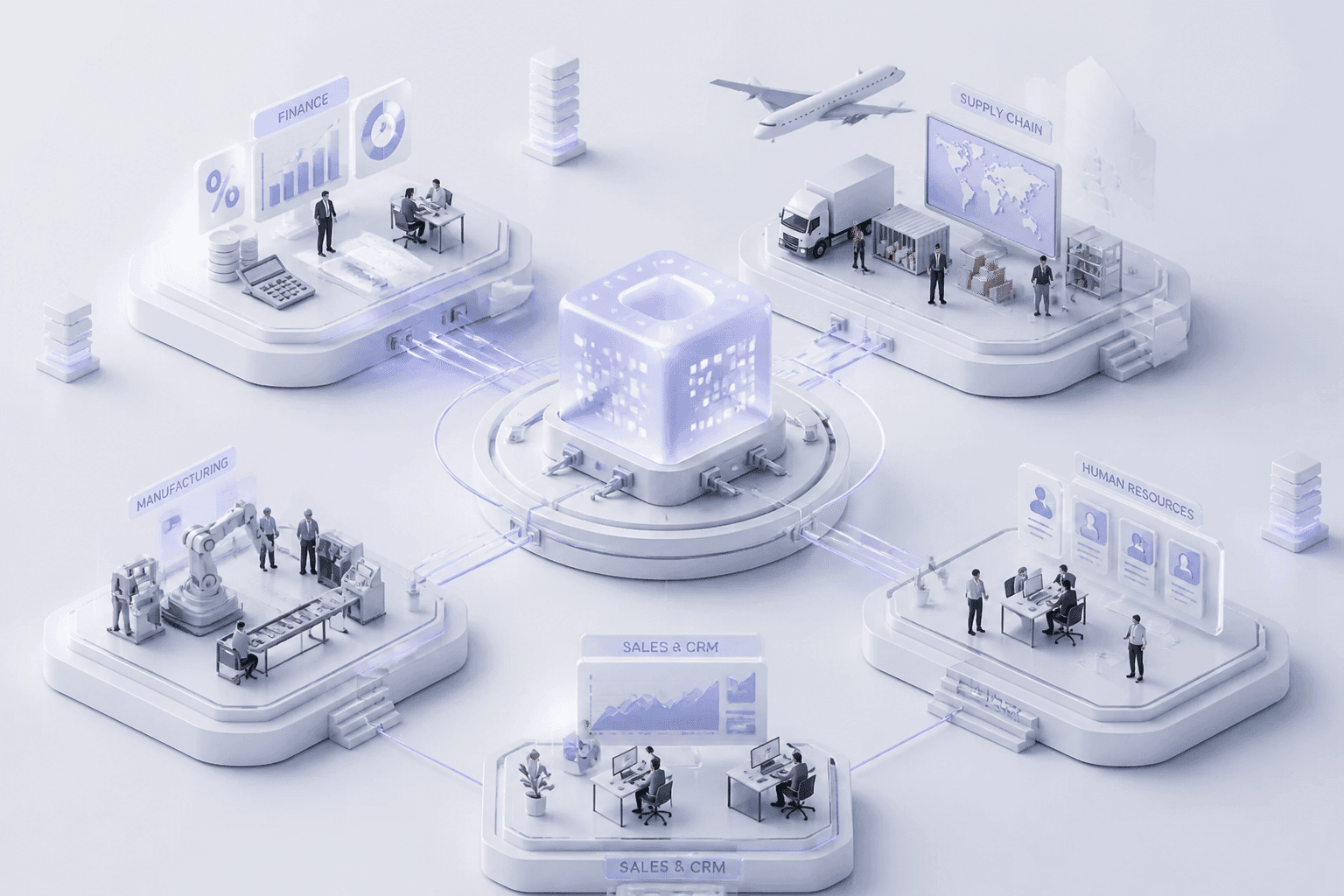
So what is ERP software, exactly? An enterprise resource planning system is one connected platform that links the core parts of your business: finance, HR, supply chain, and manufacturing. One set of data. One version of the truth. No more chasing numbers across five tabs.
Here's the catch, though. Not all ERP systems are built the same way. There are lots of types of ERP systems, and the one you pick shapes how fast you can move, what you'll pay, and how much your team has to babysit. Choosing an ERP system is really a digital transformation decision, not just an IT purchase. It touches daily operations and future growth at the same time.
The trend is already clear. 78.6% of organizations that rolled out a new ERP in 2024 picked cloud, up from 64.5% in 2023, based on Panorama Consulting Group data. But cloud isn't right for everyone (ERP for mid-sized companies often comes with odd constraints, like tight IT teams or strict data rules).
So let's walk through six core types together. By the end, you'll know which one fits your business, and which ones to skip. Buildera works with CTOs on exactly these tradeoffs, so I'll share what tends to matter most along the way.
1. On-Premise ERP Systems: Maximum Control, Higher Responsibility
What On-Premise ERP Really Means
On-premise ERP runs on servers your company owns, in your own building or data center. You buy the license. You run the hardware. Your IT team keeps it all alive.
It's the traditional model, and it's the one lots of CTOs are trying to modernize away from. But it's far from dead. A 2024 survey found that 52% of German mid-sized companies still use on-premise ERP, compared with 31% on cloud. So plenty of smart teams still choose it.
The Good and the Not-So-Good
Here's the quick scorecard.
Pros
Full control over your data, your servers, and where everything lives
Deeper security customization, since you decide who gets in and how
More freedom to bend the system around odd or unique processes
You pick when upgrades happen, not the vendor
Cons
Big upfront spending on licenses and hardware
Ongoing maintenance bills that never really stop
Heavy reliance on your in-house IT team
Slower upgrade cycles, which can leave you behind
Let's talk money, because that's where it stings. One cost benchmark puts year-one licenses at $200,000 to $400,000, with another $80,000 to $200,000 for infrastructure. Then yearly maintenance usually runs 18% to 22% of the license value. In one mid-market example from Flectic, on-premise cost about $1.33 million over five years, while cloud came in near $900,000. That's roughly 48% more.
And the people side matters too. When your one ERP database expert quits, who fixes things at 2am? Weird question, but I've seen teams stuck on exactly that.
Who It Fits Best
On-premise makes the most sense for large enterprises in highly regulated fields, like defense or parts of finance. These companies usually already have strong IT infrastructure and a real need for absolute data sovereignty. In plain words, the data can't leave the building. Period.
If that's not you, the control may cost more than it's worth. Buildera often helps CTOs weigh whether to keep, modernize, or move away from an on-premise setup. Next up: the cloud option, which flips this whole trade-off.
2. Cloud-Based ERP Solutions (SaaS): Scalability and Agility as a Service

What Cloud ERP Really Looks Like
Think Netflix, but for your finance team. With cloud ERP solutions, the software lives on the provider's servers. You open a web browser, log in, and get to work. That's the Software-as-a-Service model.
No server room. No hardware refresh. No 2am panic about a dead database.
You've probably heard the big names: Oracle NetSuite, Acumatica, SAP S/4HANA Cloud, and Microsoft Dynamics 365 Business Central. For mid-sized firms, ERP Research points to Acumatica as a strong pick for distribution and manufacturing. Those are good erp system examples to start your shortlist.
Why CTOs Keep Moving This Way
Here's what usually wins people over:
Lower upfront cost. You pay a subscription (opex) instead of buying licenses and servers (capex).
Automatic updates. The vendor pushes new features and patches for you.
Easy scaling. Add users or entities without ordering hardware.
Access from anywhere. Remote teams and new offices just log in.
Lighter IT load. Your engineers can build things instead of babysitting servers.
The savings show up in the numbers, too. One 2025 analysis reported 21% lower overall IT spending and 16% lower IT cost per user for companies on cloud ERP. And a SAP S/4HANA migration paper found public-cloud users cut internal IT operating costs by 38.7% on average by year three. Results vary a lot, so treat those as examples, not promises.
Want to see how fast the market is shifting? Here's a quick snapshot.
Cloud ERP snapshot | Figure |
|---|---|
Share of ERP deployments in 2025 (cloud) | 70.4% |
Share of ERP deployments in 2025 (on-premise) | 29.6% |
Cloud ERP market size, 2025 | $47.25 billion |
Projected size by 2031 | $138.56 billion |
Projected growth rate, 2026 to 2031 | 19.65% a year |
The deployment split comes from Quantum Run, and the market forecast is from Mordor Intelligence. Different firms measure different things, so don't mix the two sets of numbers.
The Catches Worth Knowing
Cloud isn't magic. A few trade-offs deserve a straight answer.
First, security. It's the worry I hear most. With reputable providers, the fear is often bigger than the real risk, since they spend more on protection than most single companies can. Still, read the contract and ask where your data sits.
Second, you don't control the upgrade schedule. The vendor does. That's great until an update lands in the middle of your busiest quarter.
Third, heavy customization gets tricky. Most SaaS platforms prefer configuration and add-ons over changing the core. If your processes are truly odd, that can pinch.
Buildera often helps CTOs test those limits before they sign anything. Next, we'll look at what happens when you want some cloud and some control at once.
3. Hybrid ERP Model: The Best of Both Worlds
How a Two-Tier Hybrid ERP Works
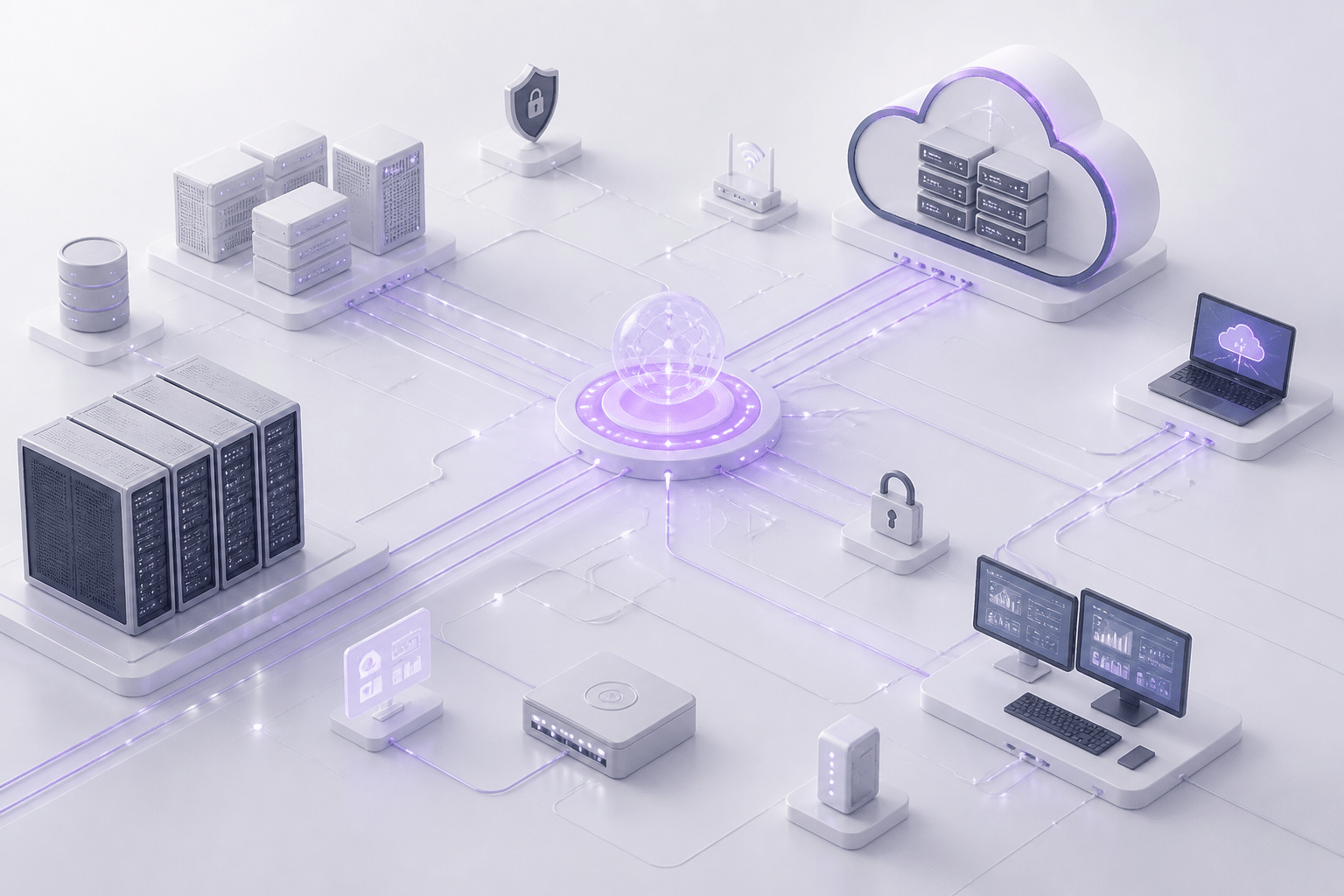
A hybrid ERP model splits the work. Your core, can't-fail systems stay on-premise. Think finance or manufacturing. Then the faster-moving, customer-facing pieces, like CRM or HR, run in the cloud.
People also call this two-tier ERP. Here's a simple picture of it:
Tier | Where it runs | What usually lives here |
|---|---|---|
Tier 1: Headquarters | On-premise | Finance, manufacturing, other core records |
Tier 2: Subsidiaries and new teams | Cloud | CRM, HR, local operations |
The link between them | Middleware and APIs | Shared data, reporting, extensions |
Hitachi High-Tech is a good real example. According to a two-tier ERP case study, it kept SAP S/4HANA on-premise at its Japan headquarters. Then it put the public-cloud edition in subsidiaries across Europe and Asia. The case study doesn't list every function by location, so I won't guess.
Why Big Companies Pick It
Here's the practical appeal. If you've poured years (and millions) into a legacy system, ripping it out overnight is scary. A hybrid setup lets you modernize in phases instead. You move one piece, see how it goes, then move the next.
It's also popular at the top end. A 2024 BCG Platinion survey found about 63% of companies with more than $5 billion in revenue are opting for hybrid ERP strategies. That number covers companies planning it as well as running it, so read it as a trend, not a headcount.
For erp implementation, this can mean less risk and fewer all-or-nothing deadlines.
The Catch: Making Two Systems Talk
OK, here's the honest part. Hybrid isn't free of pain. Your biggest headache is data integration. Two systems that don't share a language will drift apart fast.
You'll need solid middleware and a clear IT plan. And that plan needs an owner. MuleSoft suggests using a gateway to translate older internal protocols, so your on-premise ERP stays behind your security boundary instead of facing the open internet.
So the trade-off looks like this. You get flexibility, but you also take on more moving parts. Buildera often helps CTOs map those connections before the first line of integration code gets written. Next, we'll look at systems built for one specific industry.
4. Industry-Specific (Vertical) ERP: Tailored for Your Niche
What Vertical ERP Actually Is
A vertical ERP is built for one industry. It comes with the workflows, reports, and rules that industry already lives by. Think healthcare billing, retail stock across hundreds of stores, or lease accounting for a property portfolio.
So instead of bending a generic system into shape, you start close to the finish line. Pretty appealing, right?
Where It Shines
The big win is speed to a working setup. Industry best practices are already baked in, and the modules you need often come out of the box. That can shorten erp implementation, since your team spends less time building basics from scratch.
Compliance is the other draw. Here's what vendors in each field tend to include:
Healthcare: role-based access, audit logs, and billing and claims workflows that support HIPAA rules
Real estate: lease accounting that handles IFRS 16 and ASC 842
Retail: tax automation, POS links, and tools that help with PCI DSS
One warning, though. Software doesn't make you compliant by itself. You still configure it right and keep good habits. Ask any vendor for a current compliance matrix and test it against your own jurisdictions.
Quick Examples Worth Knowing
Oracle Retail: merchandising, pricing, inventory, and omnichannel selling in one place.
Infor CloudSuite Healthcare: finance, supply chain, and workforce tools built for hospitals and health systems.
Yardi Voyager: property accounting, lease administration, and portfolio reporting for real estate teams.
These are good erp system examples to start a shortlist. For real estate, check whether the product covers the general ledger and multi-entity accounting. Some of these tools are more like an industry operating system than a full ERP.
Where It Pinches
Now the trade-offs. Vertical systems can feel stiff if your business branches into a new line. They may also lock you in with one vendor, and they often lack the broad reach of a generalist platform.
And don't assume "built for your industry" means "will succeed." One review of 640 ERP projects found only 32% finished within budget, and I haven't found a fair study showing vertical systems beat generalist ones. Fit helps. It doesn't replace good planning.
Buildera often helps CTOs check whether a niche platform will still fit in three years. Next, we'll look at the opposite approach: a flexible system built for lots of different operations.
5. Generalist (Horizontal) ERP: A Flexible Foundation for Diverse Operations
What Horizontal ERP Really Means
A horizontal ERP works for almost any industry. It gives you a wide set of tools, like finance, purchasing, inventory, sales, and reporting, and you set them up to match how your company runs. Think of it as a big toolbox. You pick what you need.
The big names here are Oracle, SAP, and Microsoft. According to Apps Run the World, Oracle led 2025 ERP app revenue at $9.719 billion, with SAP close behind at $9.610 billion and Microsoft at $3.233 billion. NetSuite, Infor, Sage, and Epicor are strong picks too, especially for mid-sized teams.
Why Diverse Businesses Like It
The main perk is flexibility. A horizontal system doesn't care if you run a factory, a retail chain, and a services arm under one roof. Plus, there's a huge ecosystem around it: third-party add-ons, integrations, and plenty of consultants who know the platform well.
That's why conglomerates and multi-line companies tend to land here. One core, many modules. Here's a simple picture of how it connects:
Piece | Role in the setup | Example |
|---|---|---|
Central ERP core | Finance, purchasing, inventory, reporting | SAP S/4HANA, Oracle Fusion, Dynamics 365 |
Business unit modules | Configured for each unit's processes | Manufacturing, retail, services |
Integrations | Link outside tools to the core | Payroll, e-commerce, banking, logistics |
Partner add-ons | Fill gaps without touching core code | Third-party apps and extensions |
The Catch: Fit Takes Work
Here's the honest part. A system built for everyone isn't built for you out of the box. It usually needs a lot of configuration to match your real processes, and that can stretch both time and budget.
I couldn't find a trustworthy industry average for how much customization mid-sized firms need, so I won't invent one. What I can say: keep changes to settings and supported extensions, and avoid editing the vendor's core code. That's where upgrade headaches begin.
The partner matters, too. A 2024 study of implementation success factors ranked picking the right consultant among the top factors. Buildera often helps CTOs set a clear "fit-to-standard" rule before work starts. Next, we'll look at a newer idea that breaks the suite into smaller, swappable pieces.
6. Composable ERP: The Future of Agile Enterprise Architecture

What Composable ERP Actually Means
Picture a big block of concrete. That's a monolithic ERP. Now picture a set of building blocks you can snap together, swap out, or add to. That's composable ERP.
Instead of buying one giant suite, you pick the best app for each job. Finance from one vendor. Demand planning from another. A custom pricing engine your own team builds. They all talk through APIs.
Gartner calls composable ERP "an adaptive technology strategy" that gives companies the basic building blocks to keep up with fast business change. It also says you get value bit by bit, instead of betting everything on one huge replacement. I like that framing. Big-bang projects scare me.
Here's a quick side-by-side:
Feature | Monolithic ERP | Composable ERP |
|---|---|---|
Structure | One tightly linked system | Separate, connected services |
Changing one part | Can touch everything else | Swap one block, leave the rest |
Vendor choice | Mostly one vendor | Best tool for each job |
Rollout style | Often one big project | Step by step |
Integration work | Lower at first | Higher, and ongoing |
The MACH Alliance boils the idea down to four principles: Microservices, API-first, Cloud-native SaaS, and Headless. Fancy words. The point is simple: each piece works alone and connects cleanly to the others.
Why Digital-Native Teams Love It
This is the future-ready pick for digital-native companies, or for firms in the middle of a deep transformation. The big draw is agility. Your needs change? Swap the block that no longer fits. No full rebuild.
It also scales in pieces. If your order system gets slammed in November, you grow that one service. You don't pay to grow everything.
Some big names are reported to be heading this way. Secondary accounts say Coca-Cola European Partners moved from a monolithic SAP setup toward a modular approach using best-of-breed apps for finance, supply chain, and sales. Reported wins include more agility and less reliance on one vendor. But I couldn't find audited numbers on cost or timing, so treat the story as a signal, not proof.
The Price of Admission
OK, here's the honest part. Composable isn't for everyone. It asks a lot.
Technical maturity. Your team needs to be comfortable with APIs, events, and cloud services.
Strong governance. Someone must own data definitions, security rules, versioning, and vendor exits.
Expert integration skills. More connected systems means more places things can break.
That last one is the kicker. Without clear standards, you can end up with a messy pile of tools, a "mini-monolith" spread across five vendors. Not a win.
This is really custom ERP development plus smart, strategic integration. It's where a partner like Buildera tends to earn its keep: designing the architecture, building the pieces no vendor sells, and wiring everything together so it stays easy to change. If your team is lean or your processes are fairly standard, a cloud or hybrid setup may serve you better. Next up, we'll put all six types side by side so you can compare them fast.
ERP System Comparison: A Side-by-Side Look for Decision-Makers
We've covered a lot of ground, so here's the cheat sheet. This table puts the four main deployment approaches next to each other on the factors CTOs ask about most. (Vertical and horizontal ERP are about industry fit, so they sit outside this grid.)
Factor | On-Premise | Cloud (SaaS) | Hybrid | Composable |
|---|---|---|---|---|
Total cost of ownership (TCO) | High upfront, high long-term | Low upfront, steady subscription | Medium, but integration adds cost | Medium to high, driven by integration work |
Scalability | Medium to high, but needs new hardware | High | High | High, one service at a time |
Customization flexibility | High | Medium | Medium to high | High, if you build it |
Maintenance burden | High, your team owns it | Low, vendor handles it | Medium to high, two systems to look after | Medium to high, many parts to govern |
Implementation speed | Slow | Fast | Medium, phased | Medium, step by step |
How to Read This Table
These ratings are directional. They're a screening tool, not a verdict. Your configuration, your partner, your industry, and your contract terms can shift any single box.
And don't stop at licensing. One ERP cost analysis from VJM Global estimates licenses at roughly 30% to 40% of the total investment. The rest goes to implementation, integrations, training, and support. So compare total cost, not just the sticker price.
Why the "Right" Pick Still Takes Homework
Here's the thing. No row wins every column. Cloud looks great on speed and upkeep, but it pinches on deep customization. On-premise gives you control, but you pay for it in people and hardware.
The right choice depends on your team size, your rules around data, and where you want the business to be in five years. That takes a real look at your own context. Buildera often helps CTOs run that analysis before any vendor gets shortlisted. Next, we'll wrap up with how to turn this into a decision.
Conclusion: Choosing the Right ERP Software as a Strategic Business Decision
So, which type of ERP software wins? Honestly, none of them. There's no single "best" pick. The right one depends on your size, your industry, how mature your tech team is, and where you want the business to be in five years. A lean mid-sized firm with standard processes probably needs something very different from a global group with odd rules and a big engineering bench.
What's clear is the direction. Teams are moving away from heavy, on-premise setups and toward cloud, hybrid, and composable models. Why? Because legacy systems slow you down. They make every change harder than it should be. The newer approaches let you move in steps, swap parts out, and stop treating the ERP like a monument.
But here's the part people skip. Picking the software is only half the job. McKinsey's 2025 analysis points to weak leadership alignment, unclear ownership, and thin focus on value as common reasons ERP programs fall short, not the technology itself. So treat this as a long-term partnership, not a one-time purchase.
Here's a quick gut-check before you talk to any vendor:
Do we know our total cost, not just the license price?
Who owns this project, by name?
Can our team handle the integration work?
Will this still fit us in three years?
If any answer feels shaky, that's your starting point.
Making the right ERP choice is complex. An expert partner can help you navigate the options, from implementation to custom development.
"Contact Buildera for a strategic consultation on your ERP modernization journey.
About the author: This article was written by the team at Buildera, a global custom software engineering and IT consulting firm. We build, modernize, and evolve complex digital systems, from legacy application modernization to custom ERP development, helping CTOs turn big technology decisions into steady, measurable growth.